> ## Documentation Index
> Fetch the complete documentation index at: https://langchain-5e9cc07a-preview-naomid-1774286607-a0b81f6.mintlify.site/llms.txt
> Use this file to discover all available pages before exploring further.

# Deep Agents CLI

> Terminal coding agent built on the Deep Agents SDK

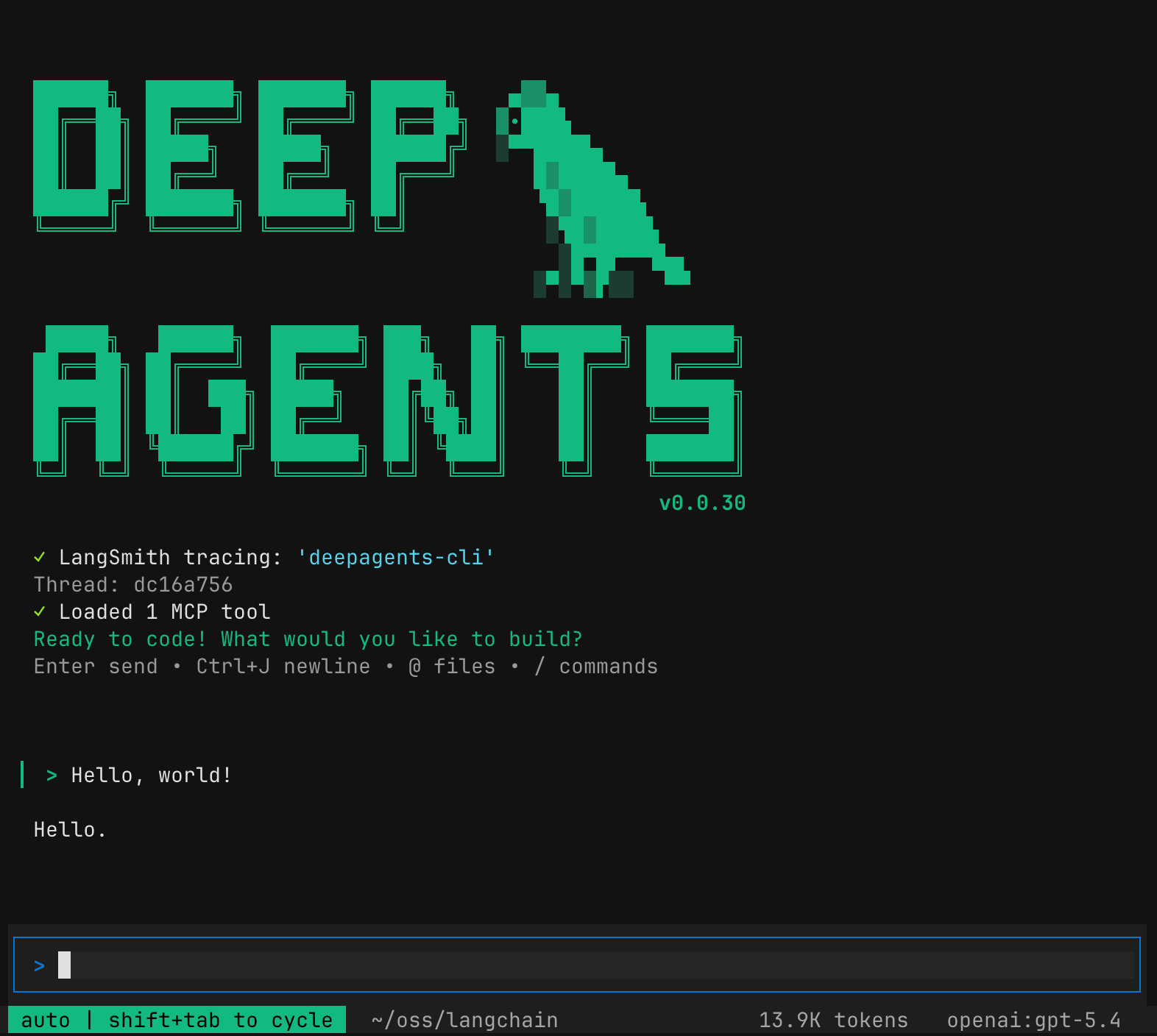
The Deep Agents CLI is an open source terminal coding agent built on the [Deep Agents SDK](/oss/python/deepagents/quickstart).
It retains persistent memory, maintains context across sessions, learns project conventions, uses customizable skills, and executes code with approval controls.

<img src="https://mintcdn.com/langchain-5e9cc07a-preview-naomid-1774286607-a0b81f6/2fVG5q4slcF1wyqk/oss/images/deepagents/deepagents-cli.png?fit=max&auto=format&n=2fVG5q4slcF1wyqk&q=85&s=67dcb20ba637781ea356981684f30dad" alt="Deep Agents CLI" width="1572" height="1408" data-path="oss/images/deepagents/deepagents-cli.png" />

The Deep Agents CLI has the following built-in capabilities:

* <Icon icon="file" size={16} /> **File operations** - read, write, and edit files in your project with tools that enable agents to manage and modify code and documentation.
* <Icon icon="terminal" size={16} /> **Shell command execution** - execute shell commands to run tests, build projects, manage dependencies, and interact with version control systems.
* <Icon icon="search" size={16} /> **Web search** - search the web for up-to-date information and documentation (requires Tavily API key).
* <Icon icon="globe" size={16} /> **HTTP requests** - make HTTP requests to APIs and external services for data fetching and integration tasks.
* <Icon icon="list-check" size={16} /> **Task planning and tracking** - break down complex tasks into discrete steps and track progress through the built-in todo system.
* <Icon icon="brain" size={16} /> **Memory storage and retrieval** - store and retrieve information across sessions, enabling agents to remember project conventions and learned patterns.
* <Icon icon="arrows-minimize" size={16} /> **Context compaction & offloading** - summarize older conversation messages and offload originals to backend storage, freeing context window space during long sessions.
* <Icon icon="user" size={16} /> **Human-in-the-loop** - require human approval for sensitive tool operations.
* <Icon icon="puzzle" size={16} /> **Skills** - extend agent capabilities with custom expertise and instructions stored in skill directories.
* <Icon icon="plug" size={16} /> **[MCP tools](/oss/python/deepagents/cli/mcp-tools)** - load external tools from [Model Context Protocol](https://modelcontextprotocol.io/) servers via auto-discovered or explicit config files.
* <Icon icon="chart-dots" size={16} /> **[Tracing](/oss/python/deepagents/cli/overview#tracing-with-langsmith)** - trace agent operations, tool calls, and decisions in LangSmith for observability and debugging.

<Accordion title="Full list of built-in tools">
  ## Built-in tools

  The agent comes with the following built-in tools which are available without configuration:

  | Tool                   | Description                                                                                                  | Human-in-the-Loop    |
  | ---------------------- | ------------------------------------------------------------------------------------------------------------ | -------------------- |
  | `ls`                   | List files and directories                                                                                   | -                    |
  | `read_file`            | Read contents of a file; supports images (`.png`, `.jpg`, `.jpeg`, `.gif`, `.webp`) as multimodal content    | -                    |
  | `write_file`           | Create or overwrite a file                                                                                   | Required<sup>1</sup> |
  | `edit_file`            | Make targeted edits to existing files                                                                        | Required<sup>1</sup> |
  | `glob`                 | Find files matching a pattern (e.g., `**/*.py`)                                                              | -                    |
  | `grep`                 | Search for text patterns across files                                                                        | -                    |
  | `execute`              | Execute shell commands locally or in a remote sandbox                                                        | Required<sup>1</sup> |
  | `http_request`         | Make HTTP requests to APIs and web services (`GET`, `POST`, `PUT`, `DELETE`, etc.)                           | -                    |
  | `web_search`           | Search the web using Tavily API                                                                              | Required<sup>1</sup> |
  | `fetch_url`            | Fetch and convert web pages to markdown                                                                      | Required<sup>1</sup> |
  | `task`                 | Delegate work to subagents for parallel execution                                                            | Required<sup>1</sup> |
  | `ask_user`             | Ask the user free-form or multiple-choice questions when clarification is needed                             | -                    |
  | `compact_conversation` | Summarize older messages, offload originals to backend storage, and replace them in context with the summary | Mixed<sup>2</sup>    |
  | `write_todos`          | Create and manage task lists for complex work                                                                | -                    |

  <sup>1</sup>: Potentially destructive operations require user approval before execution. To bypass human approval, you can toggle auto-approve or start the deep agent with the `auto-approve` option:

  ```bash theme={null}
  deepagents -y
  ```

  <Note>
    When running the CLI non-interactively (via `-n` or piped stdin), shell execution is disabled by default even with `-y`/`--auto-approve`. Use `-S`/`--shell-allow-list` to allowlist specific commands (e.g., `-S "pytest,git,make"`), `recommended` for safe defaults, or `all` to permit any command. The `DEEPAGENTS_SHELL_ALLOW_LIST` environment variable is also supported. See [Non-interactive mode and piping](#non-interactive-mode-and-piping) for more details.
  </Note>

  <sup>2</sup>: The CLI automatically offloads the conversation in the background when token usage exceeds a model-aware threshold. Offloading summarizes older messages via the LLM, and ejects originals to backend storage (`/conversation_history/{thread_id}.md`), replacing them in context with the summary. The agent can still retrieve the full history from the offloaded file if needed. The `compact_conversation` tool lets the agent (or you) trigger offloading on demand. When called as a tool, it requires user approval by default.
</Accordion>

<Tip>
  [Watch the demo video](https://youtu.be/IrnacLa9PJc?si=3yUnPbxnm2yaqVQb) to see how the Deep Agents CLI works.
</Tip>

## Quickstart

<Steps>
  <Step title="Set model credentials" icon="key">
    Export your provider's API key as an environment variable. For example:

    ```bash theme={null}
    export OPENAI_API_KEY="your-api-key"
    ```

    The CLI works with [any LLM that supports tool calling](/oss/python/deepagents/cli/providers) — OpenAI, Anthropic, Google, Ollama, and many more. See [Providers](#providers) for setup details.
  </Step>

  <Step title="Install and run" icon="terminal">
    The CLI ships with OpenAI, Anthropic, and Google support by default. Other providers (Ollama, Groq, xAI, etc.) are installed as optional extras — see [Providers](#providers) for details.

    <CodeGroup>
      ```bash Script theme={null}
      curl -LsSf https://raw.githubusercontent.com/langchain-ai/deepagents/refs/heads/main/libs/cli/scripts/install.sh | bash
      ```

      ```bash Script with extras theme={null}
      DEEPAGENTS_EXTRAS="ollama,groq" curl -LsSf https://raw.githubusercontent.com/langchain-ai/deepagents/refs/heads/main/libs/cli/scripts/install.sh | bash
      ```

      ```bash uv theme={null}
      uv tool install 'deepagents-cli[ollama,groq]'
      ```
    </CodeGroup>

    ```bash theme={null}
    deepagents
    ```
  </Step>

  <Step title="Give the agent a task" icon="message">
    ```txt theme={null}
    Create a Python script that prints "Hello, World!"
    ```

    The agent proposes changes with diffs for your approval before modifying files.
  </Step>

  <Step title="Enable tracing (optional)" icon="chart-dots">
    See agent operations, tool calls, and decisions in [LangSmith](#tracing-with-langsmith):

    ```bash theme={null}
    export LANGCHAIN_TRACING=true
    export LANGCHAIN_API_KEY="your-api-key"
    ```
  </Step>
</Steps>

## Providers

The CLI is intentionally lightweight—it ships with OpenAI, Anthropic, and Google support out of the box. Each additional model provider is a separate dependency, so you only pull in what you need.

```bash theme={null}
# Add extra providers to an existing install
uv tool upgrade deepagents-cli --with langchain-xai
```

To use a specific provider, pass `--model` at launch or switch mid-session with `/model`.

```bash theme={null}
deepagents --model anthropic:claude-opus-4-5
```

For the full list of supported providers, see [Model providers](/oss/python/deepagents/cli/providers).

## Interactive mode

Type naturally as you would in a chat interface.
The agent will use its built-in tools, skills, and memory to help you with tasks.

<AccordionGroup>
  <Accordion title="Slash commands" icon="slash">
    Use these commands within the CLI session:

    * `/model` - Switch models or open the interactive model selector. See [Switch models](#switch-models) for details
    * `/remember [context]` - Review conversation and update memory and skills. Optionally pass additional context
    * `/offload` - Free up context window space by offloading messages to backend storage with a summary placeholder in the conversation. The agent can retrieve the full history from the offloaded file if needed.
    * `/tokens` - Display current context window token usage breakdown
    * `/clear` - Clear conversation history and start a new thread
    * `/threads` - Browse and resume previous conversation threads
    * `/reload` - Refresh runtime configuration (API keys, `.env` changes, shell allow-list) without restarting. Conversation state is preserved
    * `/trace` - Open the current thread in LangSmith (requires `LANGSMITH_API_KEY`)
    * `/editor` - Open the current prompt in your external editor (`$VISUAL` / `$EDITOR`). See [External editor](/oss/python/deepagents/cli/configuration#external-editor)
    * `/changelog` - Open the CLI changelog in your browser
    * `/docs` - Open the documentation in your browser
    * `/feedback` - Open the GitHub issues page to file a bug report or feature request
    * `/version` - Show installed `deepagents-cli` and SDK versions
    * `/help` - Show help and available commands
    * `/quit` - Exit the CLI
  </Accordion>

  <Accordion title="Shell commands" icon="prompt">
    Type `!` to enter shell mode, then type your command.

    ```bash theme={null}
    git status
    npm test
    ls -la
    ```
  </Accordion>

  <Accordion title="Keyboard shortcuts" icon="keyboard">
    **General**

    | Shortcut                                              | Action                                      |
    | ----------------------------------------------------- | ------------------------------------------- |
    | `Enter`                                               | Submit prompt                               |
    | `Shift+Enter`, `Ctrl+J`, `Alt+Enter`, or `Ctrl+Enter` | Insert newline                              |
    | `Ctrl+A`                                              | Select all text in input                    |
    | `@filename`                                           | Auto-complete files and inject content      |
    | `Shift+Tab` or `Ctrl+T`                               | Toggle auto-approve                         |
    | `Ctrl+U`                                              | Delete the current line                     |
    | `Ctrl+X`                                              | Open prompt in external editor              |
    | `Ctrl+E`                                              | Expand/collapse the most recent tool output |
    | `Escape`                                              | Interrupt current operation                 |
    | `Ctrl+C`                                              | Interrupt or quit                           |
    | `Ctrl+D`                                              | Exit                                        |
  </Accordion>
</AccordionGroup>

## Non-interactive mode and piping

Use `-n` to run a single task without launching the interactive UI:

```bash theme={null}
deepagents -n "Write a Python script that prints hello world"
```

You can also pipe input via stdin. When input is piped, the CLI automatically runs non-interactively:

```bash theme={null}
echo "Explain this code" | deepagents
cat error.log | deepagents -n "What's causing this error?"
git diff | deepagents -n "Review these changes"
```

When piped input is combined with `-n` or `-m`, the piped content is prepended to the flag's value.

<Note>
  The maximum piped input size is 10 MiB.
</Note>

Shell execution is disabled by default in non-interactive mode. Use `-S`/`--shell-allow-list` to enable specific commands (e.g., `-S "pytest,git,make"`), `recommended` for safe defaults, or `all` to permit any command.

<AccordionGroup>
  <Accordion title="Clean output and buffering" icon="buffer">
    Use `-q` for clean output suitable for piping into other commands, and `--no-stream` to buffer the full response (instead of streaming) before writing to stdout:

    ```bash theme={null}
    deepagents -n "Generate a .gitignore for Python" -q > .gitignore
    deepagents -n "List dependencies" -q --no-stream | sort
    ```

    In non-interactive mode, the agent is instructed to make reasonable assumptions and proceed autonomously rather than ask clarifying questions. It also favors non-interactive command variants (e.g., `npm init -y`, `apt-get install -y`).
  </Accordion>

  <Accordion title="Shell execution examples" icon="shield-check">
    ```bash theme={null}
    # Allow specific commands (validated against the list)
    deepagents -n "Run the tests and fix failures" -S "pytest,git,make"

    # Use the curated safe-command list
    deepagents -n "Build the project" -S recommended

    # Allow any shell command
    deepagents -n "Fix the build" -S all
    ```
  </Accordion>
</AccordionGroup>

<Warning>
  `-S all` / `--shell-allow-list all` lets the agent execute arbitrary shell commands with no human confirmation. Use with caution.
</Warning>

## Switch models

You can switch models during a session without restarting the CLI using the `/model` command, or at launch with the `--model` flag:

```txt theme={null}
> /model anthropic:claude-opus-4-5
> /model openai:gpt-4o
```

```bash theme={null}
deepagents --model openai:gpt-4o
```

Run `/model` with no arguments to open an interactive model selector that displays available models grouped by provider.

For full details on switching models, setting a default, and configuring custom providers, see [Model providers](/oss/python/deepagents/cli/providers). For `config.toml` reference and lifecycle hooks, see [Configuration](/oss/python/deepagents/cli/configuration).

<AccordionGroup>
  <Accordion title="Interactive model selector" icon="list">
    The selector shows a detail footer for the highlighted model with context window size, input modalities (text, image, audio, PDF, video), and capabilities (reasoning, tool calling, structured output). Values overridden by `--profile-override` or `config.toml` are marked with a yellow `*` prefix.
  </Accordion>

  <Accordion title="Model parameters" icon="adjustments">
    Pass extra model constructor parameters when switching mid-session using `--model-params`:

    ```txt theme={null}
    > /model --model-params '{"temperature": 0.7}' anthropic:claude-sonnet-4-5
    > /model --model-params '{"temperature": 0.7}'  # opens selector, applies params to chosen model
    ```

    These are session-only overrides and take the highest priority, overriding values from config file `params`. `--model-params` cannot be combined with `--default`.
  </Accordion>
</AccordionGroup>

## Configuration

The CLI stores all configuration under `~/.deepagents/`. Within that directory, each agent gets its own subdirectory (default: `agent`):

| Path                          | Purpose                                                                                   |
| ----------------------------- | ----------------------------------------------------------------------------------------- |
| `~/.deepagents/config.toml`   | Model defaults, provider settings, constructor params, profile overrides, MCP trust store |
| `~/.deepagents/hooks.json`    | Lifecycle event hooks (session start/end, task complete, etc.)                            |
| `~/.deepagents/<agent_name>/` | Per-agent memory, skills, and conversation threads                                        |
| `.deepagents/` (project root) | Project-specific memory and skills, loaded when running inside a git repo                 |

```bash theme={null}
# List all configured agents
deepagents list
```

For the full reference — including `config.toml` schema, provider parameters, profile overrides, and hook configuration — see [Configuration](/oss/python/deepagents/cli/configuration).

## Teach your agent project conventions

As you use the agent, it automatically stores information in `~/.deepagents/<agent_name>/memories/` as markdown files using a memory-first protocol:

1. **Research**: Searches memory for relevant context before starting tasks
2. **Response**: Checks memory when uncertain during execution
3. **Learning**: Automatically saves new information for future sessions

The agent organizes its memories by topic with descriptive filenames:

```
~/.deepagents/backend-dev/memories/
├── api-conventions.md
├── database-schema.md
└── deployment-process.md
```

When you teach the agent conventions:

```bash theme={null}
uvx deepagents-cli --agent backend-dev
> Our API uses snake_case and includes created_at/updated_at timestamps
```

It remembers for future sessions:

```bash theme={null}
> Create a /users endpoint
# Applies conventions without prompting
```

## Customize your deep agent

There are two primary ways to customize any agent:

* **Memory**: Global and project-specific `AGENTS.md` files which are loaded in full at session start.
  Use memory for general coding style and preferences.

* **Skills**: Global and project-specific context, conventions, guidelines, or instructions.
  Use skills for context that is only required when performing specific tasks.

### Provide project or user context

[`AGENTS.md` files](https://agents.md/) provide persistent memory that is always loaded at session start.

* **Global**: `~/.deepagents/<agent_name>/AGENTS.md` — loaded every session.
* **Project**: `.deepagents/AGENTS.md` in any git project root — loaded when the CLI is run from within that project.

Both files are appended to the system prompt at startup. Use `/remember` to explicitly prompt the agent to update its memory and skills from the current conversation.

<AccordionGroup>
  <Accordion title="How memory works" icon="brain">
    The agent may also read its memory files when answering project-specific questions or when you reference past work or patterns.

    The agent will update `AGENTS.md` as you provide information on how it should behave, feedback on its work, or instructions to remember something.
    It will also update its memory if it identifies patterns or preferences from your interactions.

    To add more structured project knowledge in additional memory files, add them in `.deepagents/` and reference them in the `AGENTS.md` file.
    You must reference additional files in the `AGENTS.md` file for the agent to be aware of them.
    The additional files will not be read on startup but the agent can reference and update them when needed.
  </Accordion>

  <Accordion title="When to use global vs. project AGENTS.md" icon="arrows-split">
    **Global `AGENTS.md`** (`~/.deepagents/agent/AGENTS.md`)

    * Your personality, style, and universal coding preferences
    * General tone and communication style
    * Universal coding preferences (formatting, type hints, etc.)
    * Tool usage patterns that apply everywhere
    * Workflows and methodologies that don't change per-project

    **Project `AGENTS.md`** (`.deepagents/AGENTS.md` in project root)

    * Project-specific context and conventions
    * Project architecture and design patterns
    * Coding conventions specific to this codebase
    * Testing strategies and deployment processes
    * Team guidelines and project structure
  </Accordion>
</AccordionGroup>

## Use skills

Skills are reusable agent capabilities that provide specialized workflows and domain knowledge.
You can use [skills](/oss/python/deepagents/skills) to provide your deep agent with new capabilities and expertise.
Deep agent skills follow the [Agent Skills standard](https://agentskills.io/).
Once you have added skills your deep agent will automatically make use of them and update them as you use the agent and provide it with additional information.

Use `/remember` to explicitly prompt the agent to update skills and memory from the current conversation.

<AccordionGroup>
  <Accordion title="Add skills" icon="plus">
    1. Create a skill:

       ```bash theme={null}
       # User skill (stored in ~/.deepagents/<agent_name>/skills/)
       deepagents skills create test-skill

       # Project skill (stored in .deepagents/skills/)
       deepagents skills create test-skill --project
       ```

       This generates:

       ```plaintext theme={null}
       skills/
       └── test-skill
           └── SKILL.md
       ```

    2. Open the generated `SKILL.md` and edit the file to include your instructions.

    3. Optionally add additional scripts or other resources to the `test-skill` folder. For more information, see [Examples](/oss/python/deepagents/skills#example).

    You can also copy existing skills directly to the agent's folder:

    ```bash theme={null}
    mkdir -p ~/.deepagents/<agent_name>/skills
    cp -r examples/skills/web-research ~/.deepagents/<agent_name>/skills/
    ```
  </Accordion>

  <Accordion title="Install community skills" icon="download">
    You can use tools like Vercel's [Skills CLI](https://github.com/vercel-labs/skills) to install community [Agent Skills](https://agentskills.io/) in your environment and make them available to your deep agents:

    ```bash theme={null}
    # Install a skill globally
    npx skills add vercel-labs/agent-skills --skill web-design-guidelines -a deepagents -g -y

    # List installed skills
    npx skills ls -a deepagents -g
    ```

    Global installs (`-g`) symlink skills into `~/.deepagents/agent/skills/` — the default agent's user-level skills directory. Project-level installs (omit `-g`) place skills in `.deepagents/skills/` relative to the current directory, making them available to any agent running in that project regardless of agent name.

    <Note>
      Global installs target the default `agent` directory only. If you use a custom-named agent, either use project-level installs or manually symlink the skill into `~/.deepagents/{your-agent}/skills/`.
    </Note>
  </Accordion>

  <Accordion title="Skill discovery" icon="radar">
    At startup, the CLI discovers skills from both Deep Agents and shared alias directories:

    ```text theme={null}
    `~/.deepagents/<agent_name>/skills/`
    `~/.agents/skills/`
    `.deepagents/skills/`
    `.agents/skills/`.
    ```

    When duplicate skill names exist, later-precedence directories override earlier ones (see [App data](/oss/python/deepagents/data-locations#skills)).

    For project-specific skills, the project's root folder must have a `.git` folder.
    When you start the CLI from anywhere within the project's folder, the CLI will find the project's root folder by checking for a containing `.git` folder.

    For each skill, the CLI reads the name and the description from the `SKILL.md` file's frontmatter.
    As you use the CLI, if a task matches the skill's description, the agent will read the skill file and follow its instructions.
  </Accordion>

  <Accordion title="List skills" icon="list">
    ```bash theme={null}
    # List all user skills
    deepagents skills list

    # List project skills
    deepagents skills list --project

    # Get detailed info about a specific skill
    deepagents skills info test-skill
    deepagents skills info test-skill --project
    ```
  </Accordion>
</AccordionGroup>

## Custom subagents

Define custom [subagents](/oss/python/deepagents/subagents) as markdown files so the CLI agent can delegate specialized tasks to them. Each subagent lives in its own folder with an `AGENTS.md` file:

```text theme={null}
.deepagents/agents/{subagent-name}/AGENTS.md   # Project-level
~/.deepagents/{agent}/agents/{subagent-name}/AGENTS.md  # User-level
```

Project subagents override user subagents with the same name (see [precedence rules](/oss/python/deepagents/data-locations#subagents)).

The frontmatter requires `name` and `description` (same as the [SubAgent dictionary spec](/oss/python/deepagents/subagents#subagent-dictionary-based)). The markdown body becomes the subagent's `system_prompt`. In addition to the base spec, `AGENTS.md` files support an optional `model` frontmatter field that overrides the main agent's model for this subagent. Uses the `provider:model-name` format (e.g., `anthropic:claude-haiku-4-5-20251001`, `openai:gpt-4o`). Omit to inherit the main agent's model.

<Note>
  Other SubAgent fields (`tools`, `middleware`, `interrupt_on`, `skills`) are not configurable via `AGENTS.md` frontmatter — custom subagents defined this way inherit the main agent's tools. Use the SDK directly for full control.
</Note>

<AccordionGroup>
  <Accordion title="File format" icon="file">
    Subagent `AGENTS.md` files use YAML frontmatter followed by a markdown body:

    ```markdown theme={null}
    ---
    name: researcher
    description: Research topics on the web before writing content
    model: anthropic:claude-haiku-4-5-20251001
    ---

    You are a research assistant with access to web search.

    ## Your Process
    1. Search for relevant information
    2. Summarize findings clearly
    ```
  </Accordion>

  <Accordion title="Example: cost-efficient subagents" icon="dollar-sign">
    Use a cheaper, faster model for simple delegation tasks while keeping the main agent on a more capable model:

    ```markdown theme={null}
    ---
    name: general-purpose
    description: General-purpose agent for research and multi-step tasks
    model: anthropic:claude-haiku-4-5-20251001
    ---

    You are a general-purpose assistant. Complete the task efficiently and return a concise summary.
    ```

    This overrides the built-in general-purpose subagent, routing all delegated tasks to a cheaper model. See [Override the general-purpose subagent](/oss/python/deepagents/subagents#override-the-general-purpose-subagent) for more.
  </Accordion>
</AccordionGroup>

## Use MCP tools

Extend the CLI with tools from external [MCP (Model Context Protocol)](https://modelcontextprotocol.io/) servers. Place a `.mcp.json` at your project root and the CLI discovers it automatically. See the [MCP tools guide](/oss/python/deepagents/cli/mcp-tools) for configuration format, auto-discovery, and troubleshooting.

## Use remote sandboxes

The CLI uses the [sandbox as tool](/oss/python/deepagents/sandboxes#sandbox-as-tool-pattern) pattern: the CLI process (LLM loop, memory, tool dispatch) runs on your machine, but agent tool calls (`read_file`, `write_file`, `execute`, etc.) target the remote sandbox, not your local filesystem. To get files into the sandbox, use a [setup script](#setup-scripts) or the provider's file transfer APIs (see [Working with files](/oss/python/deepagents/sandboxes#working-with-files)).

For a deeper look at sandbox architecture, integration patterns, and security best practices, see [Sandboxes](/oss/python/deepagents/sandboxes).

<Note>
  LangSmith sandbox support is included with the CLI by default. Modal, Daytona, and Runloop require installing extras.
</Note>

<Steps>
  <Step title="Install provider dependency" icon="download">
    <Tabs>
      <Tab title="LangSmith">
        Included by default when installing `deepagents-cli`. No extra installation needed.
      </Tab>

      <Tab title="Daytona">
        ```bash theme={null}
        uv tool upgrade deepagents-cli --with langchain-daytona
        ```
      </Tab>

      <Tab title="Runloop">
        ```bash theme={null}
        uv tool upgrade deepagents-cli --with langchain-runloop
        ```
      </Tab>

      <Tab title="Modal">
        ```bash theme={null}
        uv tool upgrade deepagents-cli --with langchain-modal
        ```
      </Tab>
    </Tabs>
  </Step>

  <Step title="Set provider credentials" icon="key">
    <Tabs>
      <Tab title="LangSmith">
        ```bash theme={null}
        export LANGSMITH_API_KEY="your-key"
        ```
      </Tab>

      <Tab title="Daytona">
        ```bash theme={null}
        export DAYTONA_API_KEY="your-key"
        ```
      </Tab>

      <Tab title="Runloop">
        ```bash theme={null}
        export RUNLOOP_API_KEY="your-key"
        ```
      </Tab>

      <Tab title="Modal">
        ```bash theme={null}
        modal setup
        ```
      </Tab>
    </Tabs>
  </Step>

  <Step title="Run the CLI with a sandbox" icon="player-play">
    <Tabs>
      <Tab title="LangSmith">
        ```bash theme={null}
        deepagents --sandbox langsmith
        ```
      </Tab>

      <Tab title="Daytona">
        ```bash theme={null}
        deepagents --sandbox daytona
        ```
      </Tab>

      <Tab title="Runloop">
        ```bash theme={null}
        deepagents --sandbox runloop
        ```
      </Tab>

      <Tab title="Modal">
        ```bash theme={null}
        deepagents --sandbox modal
        ```
      </Tab>
    </Tabs>
  </Step>
</Steps>

<AccordionGroup>
  <Accordion title="Sandbox flags and examples" icon="flag">
    | Flag                   | Description                                                                                                                             |
    | ---------------------- | --------------------------------------------------------------------------------------------------------------------------------------- |
    | `--sandbox TYPE`       | Sandbox provider to use: `langsmith`, `modal`, `daytona`, or `runloop` (default: `none`)                                                |
    | `--sandbox-id ID`      | Reuse an existing sandbox by ID instead of creating a new one. Skips creation and cleanup. Refer to your sandbox documentation for more |
    | `--sandbox-setup PATH` | Path to a setup script to run inside the sandbox upon creation                                                                          |

    Examples:

    ```bash theme={null}
    # Create a new Daytona sandbox
    deepagents --sandbox daytona

    # Reuse an existing sandbox (skips creation and cleanup)
    deepagents --sandbox runloop --sandbox-id dbx_abc123

    # Run a setup script after sandbox creation
    deepagents --sandbox modal --sandbox-setup ./setup.sh
    ```
  </Accordion>

  <Accordion title="Setup scripts" icon="file-code">
    Use `--sandbox-setup` to run a shell script inside the sandbox after creation. This is useful for cloning repos, installing dependencies, and configuring environment variables.

    ```bash title="setup.sh" theme={null}
    #!/bin/bash
    set -e

    # Clone repository using GitHub token
    git clone https://x-access-token:${GITHUB_TOKEN}@github.com/username/repo.git $HOME/workspace
    cd $HOME/workspace

    # Make environment variables persistent
    cat >> ~/.bashrc <<'EOF'
    export GITHUB_TOKEN="${GITHUB_TOKEN}"
    export OPENAI_API_KEY="${OPENAI_API_KEY}"
    cd $HOME/workspace
    EOF
    source ~/.bashrc
    ```

    The CLI expands `${VAR}` references in setup scripts using your local environment variables. Store secrets in a local `.env` file for the setup script to access.
  </Accordion>
</AccordionGroup>

<Warning>
  Sandboxes isolate code execution, but agents remain vulnerable to prompt injection with untrusted inputs. Use human-in-the-loop approval, short-lived secrets, and trusted setup scripts only. See [Security considerations](/oss/python/deepagents/sandboxes#security-considerations) for details.
</Warning>

## Tracing with LangSmith

Enable LangSmith tracing to see agent operations in a LangSmith project:

1. Enable LangSmith tracing:

   ```bash theme={null}
   export LANGCHAIN_TRACING=true
   export LANGCHAIN_API_KEY="your-api-key"
   ```

2. Configure agent tracing for deep agent operations such as tool calls and agent decisions:

   ```bash theme={null}
   export DEEPAGENTS_LANGSMITH_PROJECT="my-deep-agent-execution"
   ```

3. If you are building a LangChain app with Deep Agents, and want to separate agent traces from your app's traces, also configure `LANGSMITH_PROJECT`:

   ```bash theme={null}
   export LANGSMITH_PROJECT="my-app-calls-to-langchain"
   ```

When configured, the CLI displays:

```sh theme={null}
✓ LangSmith tracing: 'my-project'
```

## Command reference

```bash theme={null}
# Use a specific agent configuration
deepagents --agent mybot

# Use a specific model (provider:model format or auto-detect)
deepagents --model anthropic:claude-sonnet-4-5
deepagents --model gpt-4o

# Auto-approve tool usage (skip human-in-the-loop prompts)
deepagents -y
```

<AccordionGroup>
  <Accordion title="Command-line options" icon="flag">
    | Option                          | Description                                                                                                                                                            |
    | ------------------------------- | ---------------------------------------------------------------------------------------------------------------------------------------------------------------------- |
    | `-a`, `--agent NAME`            | Use named agent with separate memory (default: `agent`)                                                                                                                |
    | `-M`, `--model MODEL`           | Use a specific model (`provider:model`)                                                                                                                                |
    | `--model-params JSON`           | Extra kwargs to pass to the model as a JSON string (e.g., `'{"temperature": 0.7}'`)                                                                                    |
    | `--default-model [MODEL]`       | Set the default model                                                                                                                                                  |
    | `--clear-default-model`         | Clear the default model                                                                                                                                                |
    | `-r`, `--resume [ID]`           | Resume a session: `-r` for most recent, `-r <ID>` for a specific thread                                                                                                |
    | `-m`, `--message TEXT`          | Initial prompt to auto-submit when the session starts (interactive mode)                                                                                               |
    | `-n`, `--non-interactive TEXT`  | Run a single task non-interactively and exit. Shell is disabled unless `--shell-allow-list` is set                                                                     |
    | `-q`, `--quiet`                 | Clean output for piping—only the agent's response goes to stdout. Requires `-n` or piped stdin                                                                         |
    | `--no-stream`                   | Buffer the full response and write to stdout at once instead of streaming. Requires `-n` or piped stdin                                                                |
    | `-y`, `--auto-approve`          | Auto-approve all tool calls without prompting (disables human-in-the-loop). Toggle with `Shift+Tab` during an interactive session                                      |
    | `-S`, `--shell-allow-list LIST` | Comma-separated shell commands to auto-approve, `'recommended'` for safe defaults, or `'all'` to allow any command. Applies to both `-n` and interactive modes         |
    | `--json`                        | Emit machine-readable JSON from management subcommands (`list`, `reset`, `threads`, `skills`). Output envelope: `{"schema_version": 1, "command": "...", "data": ...}` |
    | `--sandbox TYPE`                | Remote sandbox for code execution: `none` (default), `langsmith`, `modal`, `daytona`, `runloop`. LangSmith is included; Modal/Daytona/Runloop require extras           |
    | `--sandbox-id ID`               | Reuse an existing sandbox (skips creation and cleanup)                                                                                                                 |
    | `--sandbox-setup PATH`          | Path to setup script to run in sandbox after creation                                                                                                                  |
    | `--mcp-config PATH`             | Add an explicit MCP config as the highest-precedence source (merged with auto-discovered configs)                                                                      |
    | `--no-mcp`                      | Disable all MCP tool loading                                                                                                                                           |
    | `--trust-project-mcp`           | Trust project-level MCP configs with stdio servers (skip approval prompt)                                                                                              |
    | `-v`, `--version`               | Display version                                                                                                                                                        |
    | `-h`, `--help`                  | Show help                                                                                                                                                              |
  </Accordion>

  <Accordion title="CLI commands" icon="terminal">
    | Command                                              | Description                                                                                                                                                                                                                                                                                               |
    | ---------------------------------------------------- | --------------------------------------------------------------------------------------------------------------------------------------------------------------------------------------------------------------------------------------------------------------------------------------------------------- |
    | `deepagents help`                                    | Show help                                                                                                                                                                                                                                                                                                 |
    | `deepagents list`                                    | List all agents                                                                                                                                                                                                                                                                                           |
    | `deepagents reset --agent NAME`                      | Clear agent memory and reset to default                                                                                                                                                                                                                                                                   |
    | `deepagents reset --agent NAME --target SOURCE`      | Copy memory from another agent                                                                                                                                                                                                                                                                            |
    | `deepagents skills list [--project]`                 | List all skills (alias: `ls`)                                                                                                                                                                                                                                                                             |
    | `deepagents skills create NAME [--project]`          | Create a new skill with template `SKILL.md`                                                                                                                                                                                                                                                               |
    | `deepagents skills info NAME [--project]`            | Show detailed information about a skill                                                                                                                                                                                                                                                                   |
    | `deepagents skills delete NAME [--project] [-f]`     | Delete a skill and its contents                                                                                                                                                                                                                                                                           |
    | `deepagents threads list [--agent NAME] [--limit N]` | List sessions (alias: `ls`). Default limit: 20. `-n` is a short flag for `--limit`. Additional flags: `--sort {created,updated}`, `--branch TEXT` (filter by git branch), `-v`/`--verbose` (show all columns including branch, created time, and initial prompt), `-r`/`--relative` (relative timestamps) |
    | `deepagents threads delete ID`                       | Delete a session                                                                                                                                                                                                                                                                                          |

    All management subcommands support `--json` for machine-readable output. See [command-line options](#command-line-options) for details.
  </Accordion>
</AccordionGroup>

***

<div className="source-links">
  <Callout icon="edit">
    [Edit this page on GitHub](https://github.com/langchain-ai/docs/edit/main/src/oss/deepagents/cli/overview.mdx) or [file an issue](https://github.com/langchain-ai/docs/issues/new/choose).
  </Callout>

  <Callout icon="terminal-2">
    [Connect these docs](/use-these-docs) to Claude, VSCode, and more via MCP for real-time answers.
  </Callout>
</div>
